
Best Wireless Earbuds for iPhone Users: Spatial Audio, AAC Performance & Apple Ecosystem Features
Amazon Affiliate Disclosure
Earsbud.com participates in the Amazon Services LLC Associates Program. We may earn a commission from qualifying purchases made through links on this page, at no additional cost to you. Product selection, evaluation and editorial conclusions remain independent of affiliate relationships.
Updated on July, 2026.
The best wireless earbuds for iPhone are not necessarily the earbuds with the longest specification sheet. An iPhone changes the value of certain features. AAC implementation matters more than advertised support for Android-focused codecs. Apple Account pairing can be more useful than generic Bluetooth multipoint. Personalized Spatial Audio can provide a more convincing movie experience than a manufacturer’s vaguely described “3D sound” mode.
The result is a purchasing decision shaped by both acoustics and software.
AirPods Pro 3 provide the deepest integration, but they are not automatically the right choice for every person. AirPods 4 with Active Noise Cancellation are more comfortable for individuals who dislike silicone tips. Powerbeats Pro 2 provide a more secure workout fit. Sony and Sennheiser offer deeper sound personalization, while Bose approaches immersive audio independently of Apple’s ecosystem.
This guide evaluates the leading options according to what an iPhone can actually use. It distinguishes meaningful Apple features from attractive specifications that may become inactive the moment the earbuds connect to iOS.
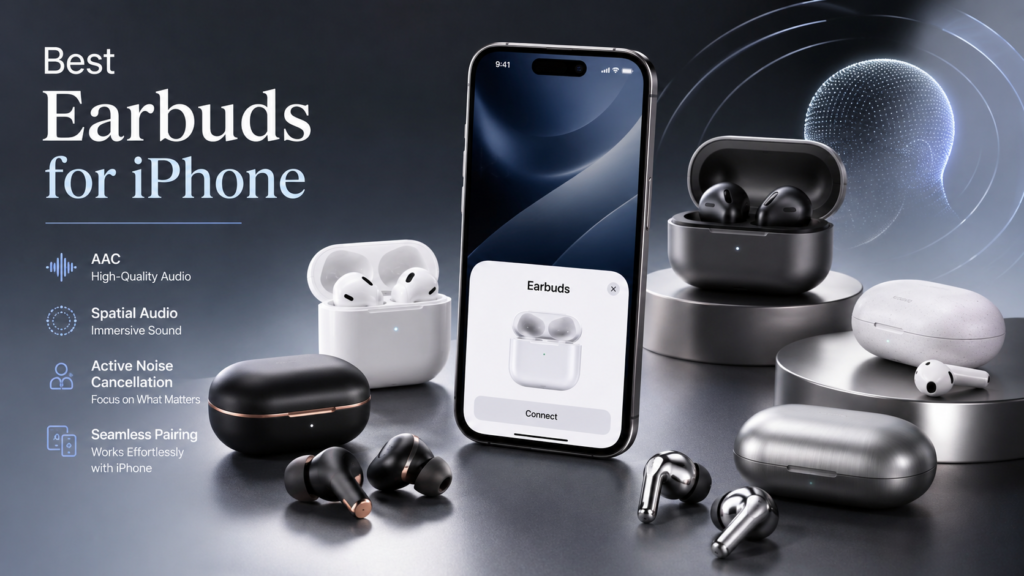
Individuals still comparing different shapes, use cases and technical designs can first explore the broader guide to tws wireless earbuds.
Quick Picks
Use the links below to move directly to the recommendation or technical question that matters most to you.
- Best Wireless Earbuds for iPhone: Quick Verdict
- How We Evaluated the Best Earbuds for iPhone
- Best Earbuds for iPhone Comparison Table
- Detailed iPhone Earbud Recommendations 👈
- AirPods Pro 3: Best Overall
- AirPods 4 ANC: Best Open-Fit Option
- Powerbeats Pro 2: Best for Workouts
- Sony WF-1000XM6: Best Premium AirPods Alternative
- Bose QuietComfort Ultra Earbuds 2nd Gen: Best for Immersive ANC
- Sennheiser Momentum True Wireless 4: Best for Sound Tuning
- Beats Studio Buds+: Best Cross-Platform Value
- Wireless Earbuds for iPhone and AAC Performance
- Spatial Audio, Dolby Atmos and Head Tracking Explained
- Apple Ecosystem Features That Actually Matter
- AirPods vs Wireless Earbuds for iPhone
- What Earbuds Work Best with iPhone?
- How to Set Up Earbuds for Better iPhone Sound
- Common iPhone Earbud Purchasing Mistakes
- Long-Term Value, Battery Aging and Software Support
- Editorial Rating Chart
- Frequently Asked Questions
- People Also Ask
- Editorial Insights
Best Wireless Earbuds for iPhone: Quick Verdict
AirPods Pro 3 are the best wireless earbuds for most iPhone users. They combine Apple’s most complete device integration with Personalized Spatial Audio, dynamic head tracking, Adaptive Audio, strong active noise cancellation, Voice Isolation, Find My support, heart-rate sensing and hearing-related features.
That recommendation changes when fit or usage becomes more important than ecosystem depth.
| Priority | Best Choice | Why It Stands Out |
|---|---|---|
| Best overall for iPhone | AirPods Pro 3 | Deepest iOS integration, strong ANC, Spatial Audio and adaptive features |
| Best without silicone tips | AirPods 4 with ANC | Open fit with ANC, Adaptive Audio and Apple Account switching |
| Best for running and training | Powerbeats Pro 2 | Secure ear hooks, H2 chip, ANC and heart-rate sensing |
| Best premium AirPods alternative | Sony WF-1000XM6 | Detailed sound, strong ANC, app control and two-device multipoint |
| Best for movies outside Apple Spatial Audio | Bose QuietComfort Ultra Earbuds 2nd Gen | Bose Immersive Audio and Cinema Mode |
| Best for personalized sound tuning | Sennheiser Momentum True Wireless 4 | Refined tuning, adjustable sound and native AAC support |
| Best for iPhone and Android use | Beats Studio Buds+ | Apple conveniences without becoming entirely Apple-dependent |
The most important distinction is not “AirPods or non-AirPods.” It is whether you value automatic Apple behavior more than manual control over sound.
AirPods make the system disappear. Sony and Sennheiser make the settings visible. Bose creates its own immersive layer. Beats occupies the middle, retaining several Apple conveniences while remaining comfortable in a mixed-device household.
How We Evaluated the Best Quality Earbuds for iPhone
A conventional earbud comparison often gives too much weight to features that an iPhone cannot fully use. An Android-focused codec, for example, may look impressive in a specification table but offer no practical advantage after the earbuds connect to iOS.
Our evaluation therefore emphasizes the complete iPhone experience rather than isolated hardware claims.
People comparing the wider market can use the best earbuds center to examine options organized around additional devices, budgets and listening priorities.
Editorial Evaluation Framework
| Evaluation Area | Weight | What We Examined |
|---|---|---|
| iPhone and Apple ecosystem integration | 25% | Pairing, switching, Siri, Find My, Audio Sharing and settings access |
| Sound quality over the iPhone connection | 20% | AAC behavior, tonal balance, clarity, dynamics and DSP |
| Fit and long-session comfort | 15% | Seal, pressure, stability, ear-tip options and open-fit comfort |
| ANC and environmental awareness | 15% | Low-frequency reduction, speech handling, wind and transparency |
| Call and microphone performance | 10% | Voice separation, background-noise control and consistency |
| Battery and charging convenience | 10% | Earbud endurance, case capacity, wireless charging and fast charging |
| App, firmware and personalization | 5% | EQ flexibility, control customization and update reliability |
Why Ecosystem Integration Receives the Highest Weight
The value of Apple integration accumulates across small daily interactions.
An instant pairing card saves only seconds. Automatic switching may save another few seconds. Find My may never matter—until a charging case disappears between sofa cushions. Audio Sharing may be used infrequently—until two people want to watch the same movie on a flight.
Each feature appears minor in isolation. Together, they reduce friction every day.
This is why an iPhone-focused score should not be identical to a general earbud score. A technically excellent earbud can remain an excellent product while still being a less complete iPhone companion.
Best Earbuds for iPhone Comparison Table
The table below compares the practical iPhone experience rather than simply repeating manufacturer specifications.
| Earbuds | Best For | Apple Integration | Spatial Experience | ANC | Fit Style | Main Trade-Off |
|---|---|---|---|---|---|---|
| AirPods Pro 3 | Best overall | Excellent | Personalized Spatial Audio with head tracking | Excellent | Sealed silicone tip | Limited manual EQ |
| AirPods 4 ANC | Open-fit comfort | Excellent | Personalized Spatial Audio with head tracking | Good for open fit | Open, no silicone tip | Limited isolation and shorter ANC endurance |
| Powerbeats Pro 2 | Exercise | Excellent | Personalized Spatial Audio on supported Apple content | Very good | Sealed tip with ear hook | Larger charging case |
| Sony WF-1000XM6 | Sound, ANC and customization | Good | Limited Apple-specific integration | Excellent | Sealed tip | Several premium Android features are unavailable on iPhone |
| Bose QC Ultra Earbuds 2nd Gen | Movies and immersive ANC | Good | Bose Immersive Audio and Cinema Mode | Excellent | Sealed tip with stability band | Less native Apple automation |
| Sennheiser Momentum True Wireless 4 | Music and sound tuning | Good | Conventional iPhone spatial playback | Very good | Sealed tip with optional fins | Premium codecs beyond AAC are unused by iPhone |
| Beats Studio Buds+ | Mixed iPhone and Android use | Very good | Spatial Audio playback with fewer advanced Apple features | Good | Compact sealed tip | Less ecosystem depth than H2-based models |
For a wider comparison of current premium, value and specialist models, see the complete guide to the best wireless earbuds.
Best Wireless Earbuds for iPhone: Detailed Recommendations
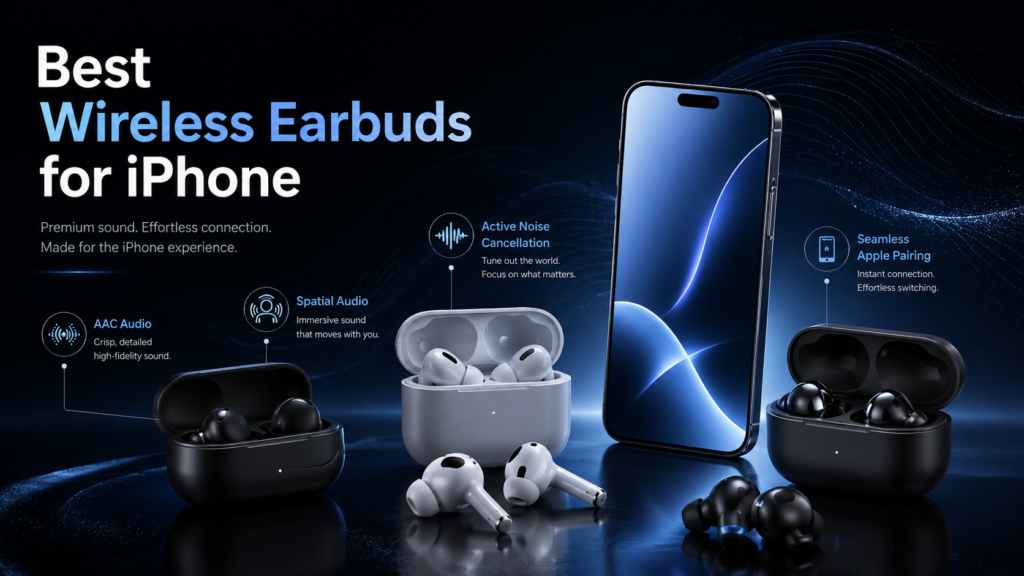
The following recommendations are organized around real purchasing decisions. Each section explains not only what a model does well, but also which person should avoid it.
1. AirPods Pro 3: Best Wireless Earbuds for iPhone Overall
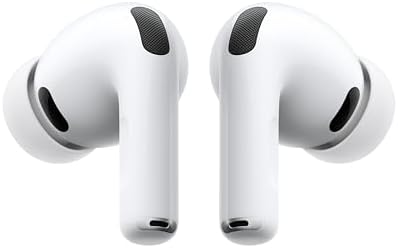
- WORLD’S BEST IN-EAR ACTIVE NOISE CANCELLATION — Removes up to 2x more unwanted noise than AirPods Pro 2* so you can stay…
- BREAKTHROUGH AUDIO PERFORMANCE — Experience breathtaking, three-dimensional audio with AirPods Pro 3. A new acoustic arc…
- HEART RATE SENSING — Built-in heart rate sensing lets you track your heart rate and calories burned for up to 50 differe…
AirPods Pro 3 are the strongest all-purpose recommendation because they turn the iPhone and earbuds into one coordinated system.
Their advantage is broader than sound quality. Personalized Spatial Audio can create an ear-specific profile through a compatible iPhone. Dynamic head tracking can keep dialogue and sound effects positioned relative to the screen. Adaptive Audio changes the relationship between cancellation and awareness as the environment changes. Conversation Awareness lowers playback when the wearer begins speaking.
Apple also added heart-rate sensing for workouts, a more secure fit, IP57 dust and water resistance, hearing-related functions and up to eight hours of listening with ANC enabled.
Why AirPods Pro 3 Work So Well with iPhone
The H2 platform manages features that would otherwise require separate apps, toggles and profiles. Pairing information travels through the Apple Account. Earbud settings appear inside iOS. Supported Apple devices can switch audio without requiring conventional multipoint management.
Voice Isolation is particularly useful for a person who answers calls in cafés, vehicles or shared workspaces. It does not make every difficult environment silent, but it gives the iPhone and earbuds a coordinated approach to emphasizing speech.
The improved seal also matters more than the phrase “better ANC” suggests. Noise cancellation is partly an acoustic problem. If low-frequency sound enters around a loose ear tip, processing must correct an avoidable leak. A stable seal gives the microphones and algorithms a more predictable acoustic chamber.
Sound Character
AirPods Pro 3 favor a broadly balanced presentation with controlled bass, clear vocals and enough upper-frequency energy to preserve detail. They are designed to sound consistently good across Apple Music, podcasts, video, calls and social media rather than aggressively emphasizing one genre.
They are not the most adjustable premium earbuds. People who enjoy building complex equalizer profiles may prefer Sony or Sennheiser. AirPods are optimized around automatic adaptation rather than visible control.
Choose AirPods Pro 3 If
- Your iPhone is your primary listening device.
- You also use an iPad, Mac, Apple Watch, Apple TV or Apple Vision Pro.
- You want strong ANC without sacrificing natural transparency.
- Spatial Audio, Find My and automatic switching matter.
- You want one pair for music, calls, travel and exercise.
Consider Another Model If
- Silicone ear tips create discomfort.
- You need a highly adjustable parametric-style sound experience.
- You frequently alternate between iPhone and non-Apple computers.
- A secure ear hook is essential for vigorous training.
Editorial verdict: AirPods Pro 3 do not win every isolated category. They win the complete iPhone experience.
2. AirPods 4 with Active Noise Cancellation: Best Open-Fit Earbuds for iPhone

- REBUILT FOR COMFORT — AirPods 4 have been redesigned for exceptional all-day comfort and greater stability. With a refin…
- ACTIVE NOISE CANCELLATION — AirPods 4 with Active Noise Cancellation help reduce outside noise before it reaches your ea…
- HEAR THE WORLD AROUND YOU — The powerful H2 chip comes to AirPods 4. Adaptive Audio seamlessly blends ANC and Transparen…
AirPods 4 ANC solve a specific problem: many people want active noise control and Apple integration but dislike the pressure or plugged sensation created by silicone ear tips.
The open design allows more natural physical awareness of the ear canal. It is easy to insert, comfortable for many long listening sessions and less dependent on finding the perfect ear-tip size.
Apple nevertheless includes ANC, Adaptive Audio, Transparency mode, Personalized Spatial Audio, dynamic head tracking, Voice Isolation, Find My and Apple Account pairing. The ANC model provides up to four hours with noise cancellation active and up to 30 hours of total listening with noise control switched off. Its charging case supports wireless charging and includes a speaker that can assist with Find My.
The Open-Fit ANC Compromise
Open earbuds cannot create the same physical isolation as a sealed in-ear design. The microphones and H2 processing can reduce steady environmental sound, particularly lower-frequency noise, but they cannot fully overcome an open acoustic path.
That makes AirPods 4 ANC excellent for offices, home listening, walking, light commuting and people sensitive to ear-canal pressure. They are less compelling for aircraft cabins, very loud trains or situations where maximum bass consistency is required.
Sound and Fit
The fit is less adjustable than a silicone-tip model. AirPods 4 will either agree with your ear geometry or they will not. There is no larger tip, smaller tip or foam alternative to solve an unstable fit.
When the shape works, however, they can feel almost absent. That low physical burden is their defining advantage.
Choose AirPods 4 ANC If
- You strongly dislike silicone ear tips.
- You want Apple ecosystem features in an open design.
- You listen for several hours at home or at work.
- Natural environmental awareness matters more than maximum isolation.
Consider Another Model If
- You travel frequently by air.
- Your music depends on deep, consistent sub-bass.
- Open AirPods have previously felt loose.
- You need long continuous ANC endurance.
Editorial verdict: AirPods 4 ANC are the best iPhone earbuds for comfort-sensitive individuals, but their open structure remains a deliberate acoustic compromise.
3. Powerbeats Pro 2: Best iPhone Earbuds for Workouts

- BUILT FOR ATHLETES WHO DON’T STOP: After 1,500 hours of testing across athletes of every ear shape and intensity level, …
- TUNE OUT THE GYM. TUNE INTO YOUR WORKOUT: Active Noise Cancelling (ANC) designed specifically for training environments …
- YOUR HEART RATE, RIGHT FROM YOUR EARS: Built-in sensors pulse 100+ times per second for real-time heart rate tracking wi…
Powerbeats Pro 2 approach exercise from the opposite direction. Instead of trying to disappear into the ear, they use flexible ear hooks to create deliberate mechanical stability.
That distinction matters during sprinting, jumping, strength training and long outdoor sessions. An earbud that sounds exceptional while stationary has little value if it loosens every five minutes.
Powerbeats Pro 2 use Apple’s H2 chip and support one-touch pairing, automatic switching, Audio Sharing, hands-free Siri and Find My. They also include ANC, Transparency mode and heart-rate monitoring that can feed workout information into compatible fitness experiences. Beats rates them IPX4 for sweat and water resistance.
Why They Are Better for Movement
The ear hook transfers part of the retention burden away from the ear tip. The tip can maintain an acoustic seal while the hook handles larger body movement.
This can improve both confidence and consistency. A person can focus on pace, form or repetition rather than repeatedly pressing an earbud back into position.
The heart-rate system adds another layer of utility for people who do not wear an Apple Watch during every session. It does not turn the earbuds into a full training computer, but it can reduce the number of separate devices required for basic workout tracking.
Sound and Noise Control
Powerbeats Pro 2 are tuned for energetic listening, with enough bass presence to support exercise playlists without reducing every recording to low-frequency impact. ANC helps in gyms and during stationary training. Transparency is the more responsible choice near traffic, bicycles and public paths.
Choose Powerbeats Pro 2 If
- Earbuds regularly loosen during exercise.
- You run, cycle indoors or perform high-movement training.
- Apple Fitness integration and heart-rate sensing add value.
- Physical controls and secure retention matter more than minimal size.
Consider Another Model If
- You need the smallest possible charging case.
- You mostly listen while seated.
- Ear hooks interfere with glasses or feel distracting.
- Maximum travel ANC is more important than workout stability.
Editorial verdict: Powerbeats Pro 2 are not merely AirPods with hooks. They are the strongest Apple-centered option for people whose first requirement is that the earbuds stay attached.
4. Sony WF-1000XM6: Best Premium AirPods Alternative for iPhone

- THE BEST NOISE CANCELLATION: Experience powerful, adaptive noise cancelling that keeps distractions out and your music f…
- CO-CREATED WITH MASTERING AUDIO ENGINEERS: Developed in collaboration with mastering audio engineers, the WF-1000XM6 ear…
- HD NOISE CANCELLING PROCESSOR: The HD Noise Cancelling Processor QN3e is 3x faster than the QN2e (found in our WF-1000XM…
Sony WF-1000XM6 are for the person who wants deeper sound control and premium ANC without adopting Apple’s earbud design.
Sony positions the WF-1000XM6 around its QN3e noise-cancelling processor, a custom driver, improved call performance, ergonomic fit and Sound Connect app. They provide up to 24 hours of total battery life with the case, wireless charging, IPX4 resistance and two-device multipoint.
Why They Appeal to iPhone Users
Sony gives the listener more visible control. The app allows sound adjustments, environmental behavior changes, touch-control management and other preferences that AirPods tend to handle automatically.
Their value on iPhone comes from excellent core hardware: driver quality, noise cancellation, microphone processing, fit and application-based tuning.
However, several headline Sony technologies are more valuable on compatible Android devices. Sony’s LDAC high-resolution mode requires an LDAC source, and its documented mobile head-tracking spatial compatibility centers on supported Android devices. Those features should not be treated as part of the normal iPhone experience.
That does not make the WF-1000XM6 poor iPhone earbuds. It means an iPhone owner should purchase them for sound, ANC, multipoint and customization—not for LDAC.
AirPods Pro 3 vs Sony WF-1000XM6
Choose AirPods Pro 3 for ecosystem fluidity, Find My depth, Apple Spatial Audio and system-level controls.
Choose Sony WF-1000XM6 for a more adjustable listening experience, traditional multipoint behavior and a sound-focused premium alternative.
Choose Sony WF-1000XM6 If
- You want strong ANC and detailed sound.
- You prefer an adjustable companion app.
- You connect to an iPhone and a Windows computer.
- You do not need every earbud function embedded inside iOS.
Consider Another Model If
- Personalized Spatial Audio is a major priority.
- You expect LDAC to work on iPhone.
- You want instant Apple Account switching.
- Find My network integration is essential.
Editorial verdict: Sony WF-1000XM6 are among the most capable premium alternatives, but an iPhone owner should value their acoustic strengths more than their codec marketing.
5. Bose QuietComfort Ultra Earbuds 2nd Gen: Best for Immersive ANC

- WORLD-CLASS NOISE CANCELLATION: The best noise cancellation of any Bose wireless earbuds is now even better than before….
- CUSTOMTUNE TECHNOLOGY: CustomTune technology analyses your ears and adapts your in-ear headphones to their shape. The re…
- NOISE CONTROL: Quickly adjust the level of noise cancellation without using Modes, including turning it off completely t…
Bose QuietComfort Ultra Earbuds 2nd Gen are designed for a person who wants environmental isolation and cinematic processing without making Apple’s Spatial Audio system the center of the experience.
Bose Immersive Audio spatializes sound through the earbuds’ own processing. Cinema Mode extends that approach to video by emphasizing dialogue, expanding the perceived soundstage and stabilizing the presentation in front of the listener.
Unlike Apple’s content-dependent approach, Bose says Cinema Mode can enhance ordinary video without requiring Dolby Atmos material. Bose lists up to six hours of earbud playback or approximately four hours with Immersive Audio active.
Why Bose Can Be Better for Movies
Apple Spatial Audio is most convincing when supported content, hardware and system settings align. Bose takes a more universal approach: it processes the incoming signal and creates its own spatial presentation.
This can make Bose especially attractive to a person who watches YouTube, sports, documentaries, older films or other material that may not have a dedicated Dolby Atmos mix.
The trade-off is authenticity. A manufacturer-generated spatial mode is an interpretation of stereo, not the original multichannel master. Some listeners enjoy the expanded scale. Others prefer untouched stereo.
ANC and Comfort
Bose’s QuietComfort identity is built around reducing the mental fatigue produced by continuous noise. Strong cancellation can allow comfortable listening at lower volume, particularly during flights and long commutes.
Fit remains personal. The stability system helps secure the earbuds, but their body is more substantial than the smallest minimalist designs.
Choose Bose QC Ultra Earbuds 2nd Gen If
- ANC is one of your top two priorities.
- You watch substantial video on your iPhone or iPad.
- You want spatial processing that works with ordinary content.
- You prefer Bose’s stability-band fit.
Consider Another Model If
- You want Apple Account switching and Audio Sharing.
- You prefer neutral stereo without spatial processing.
- You need the smallest possible earbud body.
- You want advanced iOS controls without opening a companion app.
Editorial verdict: Bose provides an immersive listening system that works beside Apple’s ecosystem rather than inside it.
6. Sennheiser Momentum True Wireless 4: Best for Sound Tuning
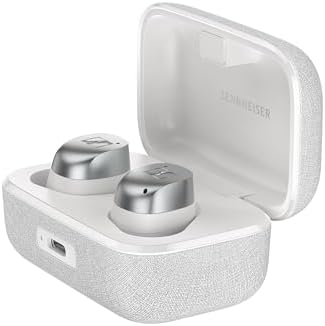
- Wireless Bluetooth Earbuds with Adaptive Active Noise Cancellation
- Interchangeable Ear Adapters
- Charging Case – White Silver
Sennheiser Momentum True Wireless 4 are a music-first alternative for people who care about tonal balance, instrument texture and sound personalization.
They support AAC alongside SBC, aptX variants and LC3. On an iPhone, AAC is the relevant premium Bluetooth path; the additional aptX capabilities are primarily useful with compatible non-Apple sources. The earbuds also provide Bluetooth 5.4, adaptive ANC, multiple ear tips and optional stabilizing fins.
Why They Remain Competitive on iPhone
An advanced codec cannot repair weak tuning, and a conventional codec does not erase a strong acoustic design. Sennheiser’s advantage is the relationship between its driver, acoustic chamber, DSP and personalization tools.
The Momentum True Wireless 4 can suit a listener who wants more influence over the sound than AirPods provide. That is especially relevant for people whose music library spans acoustic recordings, jazz, classical music, vocal performances and densely layered productions.
The Codec Reality
The presence of aptX Adaptive or aptX Lossless should not influence an iPhone-only purchasing decision. The iPhone will not unlock those paths. Evaluate the Sennheiser on how it sounds through AAC, how well it fits and how effectively its application shapes the result.
Choose Momentum True Wireless 4 If
- Music quality is more important than automatic device switching.
- You want stronger sound personalization.
- You use both an iPhone and a compatible non-Apple source.
- You prefer a fuller in-ear fit with stabilization options.
Consider Another Model If
- You want Find My network tracking.
- You expect aptX Lossless from an iPhone.
- Apple Spatial Audio is a defining requirement.
- You prefer the simplest possible setup.
Editorial verdict: Momentum True Wireless 4 demonstrate why codec support should be treated as one component of sound, not the entire sound-quality argument.
7. Beats Studio Buds+: Best Cross-Platform Value for iPhone

- BEATS’ CUSTOM ACOUSTIC PLATFORM delivers rich, immersive sound whether you’re listening to music or taking calls.
- HEAR WHAT YOU WANT with two distinct listening modes: personalized Active Noise Cancelling (ANC) and Transparency mode.
- MORE MUSIC, LESS CHARGING with up to 36 hours of listening time.
Beats Studio Buds+ occupy a useful position between AirPods and conventional third-party earbuds.
They offer one-touch pairing with Apple devices, Siri access, noise cancellation, Transparency mode and Spatial Audio playback while retaining a more platform-neutral identity. Apple states that one-touch setup can pair them with devices connected to the same iCloud account.
They do not provide the complete H2-driven experience found in AirPods Pro 3, AirPods 4 ANC or Powerbeats Pro 2. Their appeal comes from delivering several Apple conveniences without making an iPhone the only sensible source device.
Who Should Choose Them
Beats Studio Buds+ fit a household where one phone is an iPhone and another is Android, or where the listener expects to change platforms during the life of the earbuds.
They are also a reasonable choice when AirPods Pro pricing is difficult to justify but generic budget earbuds feel too limited.
Main Trade-Off
The phrase “works with Apple” is not the same as “works like AirPods.” The Studio Buds+ experience is convenient, but automatic switching, Personalized Spatial Audio and deeper system behavior may differ from Apple’s H2-based models.
Editorial verdict: Beats Studio Buds+ are the practical middle ground: more Apple-friendly than most third-party earbuds and less Apple-dependent than AirPods.
Wireless Earbuds for iPhone and AAC Performance
AAC is one of the most misunderstood parts of choosing wireless earbuds for an iPhone.
People often compare codec names as if each codec guarantees a fixed level of quality. In reality, the codec is only one stage in a longer signal chain:
Source file → streaming application → iPhone processing → Bluetooth encoding → earbud decoding → DSP → amplifier → driver → ear fit
A weakness at any stage can be more audible than the codec difference itself.
Does AAC Mean Lossless Audio?
No. Apple states that AirPods, AirPods Pro, AirPods Max and wireless Beats products use its AAC Bluetooth codec, but Bluetooth connections are not lossless. Apple Music may store or stream an ALAC lossless file, yet that signal is still converted for conventional Bluetooth transmission.
This distinction is important because “Apple Music Lossless” describes the source file, not necessarily the signal arriving at a wireless earbud.
Why AAC Can Still Sound Excellent
Lossless transmission is not required for satisfying sound. Well-implemented AAC can preserve convincing detail while reducing the amount of data sent over Bluetooth.
The largest audible differences between premium earbuds frequently come from:
- Driver tuning
- Acoustic seal
- DSP quality
- volume level
- ear anatomy
- ANC interaction
- recording quality
- equalization choices
A perfectly sealed, well-tuned AAC earbud can sound more convincing than an advanced-codec earbud with weak fit or aggressive processing.
AAC Performance Evaluation Table
| Factor | Influence on iPhone Sound | What to Look For |
|---|---|---|
| Ear-tip seal | Very high | Stable bass and consistent ANC |
| Driver and acoustic design | Very high | Clean vocals, controlled bass and natural treble |
| DSP and tuning | Very high | Balance without harshness or excessive compression |
| AAC implementation | Moderate to high | Stable playback without obvious artifacts |
| Source recording | High | Dynamic, well-mastered music |
| Apple Music lossless setting | Limited over standard Bluetooth | Better source quality, but not lossless at the earbud |
| Unsupported codec logos | None on iPhone | Do not pay more for inactive features |
AAC vs LDAC vs aptX for iPhone
For an iPhone-only person, LDAC and aptX should not drive the decision. Those codecs may be valuable when the same earbuds connect to compatible Android phones, music players or computers, but their presence does not improve the iPhone connection.
This creates a useful purchasing rule:
Do not pay for the codec your earbuds advertise. Pay for the sound your iPhone can produce through the codec it actually uses.
Spatial Audio, Dolby Atmos and Dynamic Head Tracking Explained
“Spatial Audio” is often used to describe several different technologies. They are related, but they are not interchangeable.
1. Dolby Atmos Music
Dolby Atmos is a content format. A music producer can position voices, instruments and effects within a three-dimensional mix instead of relying only on conventional left and right channels.
Apple Music contains a large catalog of music mixed or remastered in Dolby Atmos. The quality varies by production. Some mixes create believable depth and separation; others sound less focused than the stereo master.
2. Apple Spatial Audio
Apple Spatial Audio is the playback system that interprets supported multichannel or Atmos content through compatible Apple and Beats headphones.
With supported AirPods and Beats, the system can activate automatically and integrate with iOS controls.
3. Personalized Spatial Audio
Personalized Spatial Audio uses information about the listener’s head and ear geometry to create an individualized profile. Apple says setup requires a compatible iPhone with a TrueDepth camera. Supported devices include recent AirPods Pro, AirPods, AirPods Max and selected Beats products.
The purpose is to make spatial placement more believable for the individual rather than relying on a generalized acoustic model.
4. Dynamic Head Tracking
Dynamic head tracking changes the audio presentation as the listener moves.
When watching a movie, dialogue can remain positioned near the screen even when the head turns. This can create a stronger sense that the sound exists outside the earbuds.
For music, head tracking is more subjective. Some people enjoy the stable virtual stage. Others prefer the mix to move naturally with their head.
5. Manufacturer Spatial Processing
Bose Immersive Audio and Sony 360 Reality Audio are separate systems. They do not become Apple Personalized Spatial Audio simply because the earbuds are connected to an iPhone.
Bose can spatialize ordinary stereo through its own processing. Sony provides its own content and device ecosystem, although several advanced mobile spatial features are more closely tied to supported Android hardware.
Spatial Audio Compatibility Chart
| Experience | Requires Special Content | Requires Supported Apple Earbuds | Works with Head Tracking |
|---|---|---|---|
| Standard stereo | No | No | No |
| Apple Music Dolby Atmos through ordinary headphones | Yes | No, when manually enabled where supported | Usually no |
| Apple Spatial Audio | Usually supported multichannel or Atmos content | Yes for full automatic experience | On supported models |
| Personalized Spatial Audio | Yes for meaningful spatial playback | Yes | Yes |
| Bose Immersive Audio | No for Bose processing | No | Model and mode dependent |
| Sony 360 Reality Audio | Yes for native 360 content | No | Device and service dependent |
Is Spatial Audio Worth Paying For?
Spatial Audio is most valuable for:
- Movies and television on an iPhone or iPad
- live concert recordings
- orchestral and cinematic music
- carefully mixed Dolby Atmos albums
- gaming and supported interactive media
It is less important for:
- spoken podcasts
- audiobooks
- voice calls
- older mono recordings
- music you consistently prefer in stereo
Spatial Audio should therefore be treated as a use-case feature, not a universal sound-quality upgrade.
Apple Ecosystem Features That Actually Matter
Apple integration is frequently reduced to “easy pairing.” Pairing is only the beginning.
Apple Account Pairing
After compatible AirPods are paired with one Apple device, their information can become available across other devices signed in to the same Apple Account.
This is more convenient than manually pairing the earbuds with each device, especially in a household containing an iPhone, iPad and Mac. Apple states that AirPods can connect automatically to other Apple devices associated with the same account.
Automatic Switching
Automatic switching allows supported earbuds to follow activity between Apple devices. A person can move from a video on an iPad to a call on an iPhone without opening a Bluetooth menu.
It is not flawless in every environment. Shared Apple devices, multiple accounts or unexpected background audio can occasionally cause confusing switches. Still, when the system understands the intended device, it is more fluid than conventional multipoint.
Find My
Find My can show the last known location of supported earbuds and provide separation alerts. Certain charging cases include speakers that make them easier to locate nearby.
This feature has low daily visibility but high recovery value. The financial benefit of locating one misplaced case can exceed the value of several more frequently advertised specifications.
Audio Sharing
Audio Sharing allows two compatible pairs of AirPods or Beats headphones to listen to the same supported iPhone, iPad or Apple TV source.
It is useful for flights, shared video, language learning and private late-night television.
Siri and Announce Notifications
Hands-free Siri can manage calls, messages, reminders, timers and playback. Announce Notifications can read selected alerts without requiring the iPhone to leave a pocket or bag.
These features can become intrusive when too many applications are permitted. Restrict announcements to communication and genuinely urgent applications.
Conversation Awareness
Conversation Awareness detects speech from the wearer and lowers the audio level so a nearby conversation can take place.
Its value depends on context. It is useful at a counter, in an office or while briefly speaking with another person. It can be distracting for people who sing along, speak to themselves or frequently clear their throat.
Voice Isolation
Voice Isolation reduces competing environmental sound during supported calls. It is valuable for mobile professionals, students and anyone who takes calls outside controlled rooms.
Microphone processing should still be judged realistically. Strong wind, nearby construction and several simultaneous voices remain difficult conditions for any compact earbud.
Hearing and Wellness Features
AirPods Pro 3 add heart-rate sensing and hearing-related functions, including hearing assessment and assistance features in supported regions and circumstances. Feature availability can depend on country, software and regulatory status.
These functions expand the role of earbuds beyond entertainment, but they should not replace professional medical evaluation where hearing loss or another health concern is suspected.
AirPods vs Wireless Earbuds for iPhone: Which Approach Is Better?
The AirPods vs wireless earbuds for iPhone comparison is ultimately a choice between system integration and product independence.
AirPods Advantages
- Faster Apple setup
- automatic Apple Account availability
- deeper iOS settings
- Personalized Spatial Audio
- dynamic head tracking
- Find My integration
- Audio Sharing
- Siri and Apple-specific interaction
- fewer companion-app requirements
Third-Party Earbud Advantages
- greater sound personalization
- broader design selection
- traditional multipoint with Windows or Android
- more aggressive pricing competition
- manufacturer-specific ANC and spatial processing
- more color, shape and fit options
- less dependence on one operating-system ecosystem
Comparison Framework
| Question | AirPods Usually Win | Third-Party Earbuds Usually Win |
|---|---|---|
| Do you use several Apple devices? | Yes | |
| Do you need Windows and iPhone multipoint? | Yes | |
| Do you want system-level Spatial Audio? | Yes | |
| Do you adjust EQ frequently? | Yes | |
| Do you want the fewest setup steps? | Yes | |
| Do you dislike Apple’s available fit styles? | Yes | |
| Is Find My a major requirement? | Yes | |
| Do you change phone platforms regularly? | Yes |
When AirPods Are Worth the Premium
AirPods become easier to justify when a person uses at least three of the following:
- iPhone
- iPad
- Mac
- Apple Watch
- Apple TV
- Apple Vision Pro
- Apple Music
- FaceTime
- Fitness or Fitness+
- Find My
The hardware price remains the same, but the number of useful interactions grows with each Apple service and device.
When Third-Party Earbuds Are the Smarter Purchase
Sony, Bose, Sennheiser and other manufacturers become more compelling when the earbuds must serve several operating systems equally.
A person who uses an iPhone privately, a Windows computer professionally and an Android tablet while traveling may benefit more from conventional multipoint and platform-neutral controls than Apple Account switching.
What Earbuds Work Best with iPhone? A Practical Decision Framework
The answer depends on which inconvenience you are trying to remove.
Start with Fit
Fit should be decided before codec, ANC or ecosystem.
Choose a sealed silicone-tip design when you want:
- stronger bass consistency
- greater passive isolation
- more effective ANC
- better stability through customizable tip sizes
Choose an open design when you want:
- less ear-canal pressure
- easier environmental awareness
- fast insertion and removal
- a lighter physical sensation
Choose ear hooks when you want:
- maximum movement stability
- confidence during training
- less dependence on tip friction
Then Choose the Primary Use Case
| Primary Use | Recommended Model |
|---|---|
| One pair for nearly everything | AirPods Pro 3 |
| Work and long home listening | AirPods 4 ANC |
| Running and gym training | Powerbeats Pro 2 |
| Flights and detailed music | Sony WF-1000XM6 |
| Movies and strong isolation | Bose QC Ultra Earbuds 2nd Gen |
| Music tuning and cross-device listening | Sennheiser Momentum True Wireless 4 |
| iPhone and Android household | Beats Studio Buds+ |
Match Features to Daily Frequency
A feature used every day deserves more weight than a feature used once during setup.
| Feature | Likely Frequency | Purchase Weight |
|---|---|---|
| Comfort and fit | Every session | Very high |
| Sound signature | Every session | Very high |
| ANC | Daily for commuters | High |
| Call quality | Daily for professionals | High |
| Automatic switching | Frequent in Apple households | High |
| Spatial Audio | Content dependent | Moderate |
| Wireless charging | Occasional | Moderate |
| Heart-rate sensing | Workout dependent | Moderate |
| Rare codec mode | Device dependent | Low for iPhone-only use |
The Three-Question Test
Ask these questions before purchasing:
- Will these earbuds remain comfortable after 90 minutes?
- Does my iPhone support the feature I am paying for?
- Which problem will these earbuds solve better than my current pair?
If the third answer is only “newer specifications,” the upgrade may not produce a meaningful daily improvement.
How to Set Up Wireless Earbuds for Better iPhone Sound
Even premium earbuds can sound disappointing when fit, settings or source quality are poorly configured.
1. Update iOS and Earbud Firmware
Firmware can affect Bluetooth stability, ANC, microphones, charging behavior and feature availability.
AirPods generally update automatically under appropriate conditions. Third-party earbuds usually update through their companion application.
2. Perform an Ear-Tip Fit Test
For sealed earbuds, test every included tip size rather than assuming the preinstalled medium tips are correct.
The left and right ears may require different sizes. A correct seal should provide stable bass and isolation without painful pressure.
3. Configure Personalized Spatial Audio
Supported AirPods and Beats can create a personalized spatial profile through a compatible TrueDepth iPhone.
Test both fixed and head-tracked modes. Head tracking is not automatically better for every person or every music mix.
4. Review Apple Music Audio Settings
Inside the Music settings, review:
- Dolby Atmos
- Audio Quality
- Sound Check
- EQ
- downloaded music quality
- cellular streaming quality
Avoid stacking several forms of processing without comparison. A strong earbud EQ combined with an iPhone EQ and spatial mode can produce an unnatural result.
5. Disable Automatic Features That Interrupt You
Conversation Awareness, automatic ear detection, head gestures and spoken notifications are useful only when they match the listener’s behavior.
A feature that repeatedly interrupts playback should be adjusted rather than tolerated simply because it is marketed as intelligent.
6. Create Separate Listening Modes
A practical configuration might include:
- Travel: maximum ANC
- Office: Adaptive Audio or moderate ANC
- Walking: Transparency
- Calls: Voice Isolation
- Music evaluation: stereo with additional spatial processing off
- Movies: Spatial Audio or Cinema Mode
This prevents one setting from being used badly across every environment.
Common Mistakes When Choosing Wireless Earbuds for iPhone
Paying Extra for an Unsupported Codec
LDAC and aptX logos can be valuable for compatible sources, but they should not determine an iPhone-only purchase.
Focus on AAC performance, tuning, fit and processing instead.
Treating Spatial Audio as a Sound-Quality Score
Spatial Audio changes presentation. It does not automatically increase fidelity.
A poor spatial mix may sound less coherent than the stereo version. Compare both.
Ignoring Fit Because Reviews Are Positive
Ear anatomy varies. A universally praised earbud can still be uncomfortable or unstable for a specific person.
Purchase from a retailer with a reasonable return policy when fit is uncertain.
Assuming Every Beats Model Works Like AirPods
Beats products differ in their internal Apple hardware and supported features. One-touch pairing does not guarantee every H2 feature, switching behavior or spatial capability.
Evaluate the exact model.
Comparing Battery Numbers Without Matching Settings
Battery figures can change with ANC, transparency, spatial processing, call use and volume.
Compare ANC-on endurance with ANC-on endurance—not a manufacturer’s maximum low-processing figure against another model’s demanding test condition.
Overlooking the Charging Case
The case determines portability, wireless charging, Find My behavior and how often the earbuds can be restored during travel.
A large case can be reasonable for gym equipment but frustrating in a trouser pocket.
Believing More Bass Means Better Sound
Bass quantity can create an impressive first demonstration. Long-term satisfaction depends more on control, texture and whether bass masks vocals or percussion.
Long-Term Value, Battery Aging and Software Support
Wireless earbuds are partly consumable electronics because their small lithium-ion batteries lose capacity over time.
The best long-term purchase is not always the model with the highest initial score. It is the model that remains comfortable, supported and useful after several years.
Factors That Improve Long-Term Value
- Stable firmware support
- widely available replacement ear tips
- reliable charging contacts
- protective case availability
- strong device compatibility
- Find My or equivalent location tools
- service or replacement programs
- controls that do not depend entirely on a discontinued application
Battery Care
Avoid unnecessary exposure to extreme heat. Do not leave the case in a hot vehicle. Keep charging contacts dry and clean. Use optimized charging features when available.
A larger advertised battery can also provide indirect longevity. If a person uses only half the capacity each day, the earbuds may complete fewer deep charge cycles than a pair that is nearly depleted daily.
Software Dependence
AirPods depend heavily on Apple’s ecosystem but benefit from Apple controlling both the iPhone and earbud software.
Third-party earbuds spread compatibility across platforms but may rely more heavily on a manufacturer application. Before purchasing an older discounted model, consider whether its app and firmware are still actively maintained.
Value Is Not the Same as Lowest Price
Value can be expressed as:
Useful daily functions × comfort × expected ownership period ÷ purchase cost
An inexpensive pair that becomes uncomfortable after 30 minutes may have poor value. A premium pair used for work, exercise and travel every day may have excellent value despite the higher initial cost.
Best Earbuds for iPhone Editorial Rating Chart
The following scores apply specifically to iPhone use. They are not universal rankings for Android phones, gaming consoles or dedicated high-resolution music players.
| Earbuds | iPhone Integration | Sound | ANC | Comfort/Fit | Calls | Overall iPhone Score |
|---|---|---|---|---|---|---|
| AirPods Pro 3 | 10.0 | 9.2 | 9.6 | 9.1 | 9.4 | 9.6 |
| Powerbeats Pro 2 | 9.7 | 8.8 | 8.8 | 9.3 for exercise | 8.9 | 9.1 |
| Sony WF-1000XM6 | 8.1 | 9.5 | 9.6 | 8.9 | 9.1 | 9.0 |
| Bose QC Ultra Earbuds 2nd Gen | 7.8 | 9.1 | 9.6 | 8.7 | 8.5 | 8.9 |
| AirPods 4 ANC | 9.8 | 8.6 | 8.1 | 9.2 for open-fit users | 9.0 | 8.8 |
| Sennheiser Momentum True Wireless 4 | 7.6 | 9.4 | 8.8 | 8.5 | 8.3 | 8.6 |
| Beats Studio Buds+ | 8.5 | 8.1 | 8.0 | 8.5 | 8.0 | 8.2 |
Visual Score Chart
| Model | iPhone-Focused Rating |
|---|---|
| AirPods Pro 3 | ███████████████████░ 9.6 |
| Powerbeats Pro 2 | ██████████████████░░ 9.1 |
| Sony WF-1000XM6 | ██████████████████░░ 9.0 |
| Bose QC Ultra 2 | ██████████████████░░ 8.9 |
| AirPods 4 ANC | ██████████████████░░ 8.8 |
| Sennheiser MTW4 | █████████████████░░░ 8.6 |
| Beats Studio Buds+ | ████████████████░░░░ 8.2 |
These scores should be adjusted mentally according to fit. For a person who cannot tolerate silicone tips, AirPods 4 ANC may rank above every sealed alternative. For a runner who requires ear hooks, Powerbeats Pro 2 may be the clear first choice.
Frequently Asked Questions About the Best Wireless Earbuds for iPhone
Do wireless earbuds sound better on iPhone when they support AAC?
AAC support generally gives compatible wireless earbuds an appropriate high-quality Bluetooth path from an iPhone, but the codec alone does not guarantee better sound. Driver tuning, ear-tip seal, DSP, recording quality and fit can have a greater effect than the codec label.
Are AirPods Pro 3 the best quality earbuds for iPhone?
AirPods Pro 3 are the best overall earbuds for most iPhone users because they combine strong sound and ANC with Personalized Spatial Audio, Find My, automatic Apple-device behavior, Voice Isolation and adaptive listening features. A different model may be better for open-fit comfort, workouts or cross-platform use.
Which iPhone earbuds have the best noise cancellation?
AirPods Pro 3, Sony WF-1000XM6 and Bose QuietComfort Ultra Earbuds 2nd Gen are the strongest premium ANC choices in this guide. AirPods provide the deepest iPhone integration, while Sony and Bose emphasize customizable or manufacturer-controlled noise processing.
Do AirPods Pro 3 play Apple Music Lossless over Bluetooth?
No. Apple Music can provide an ALAC lossless source file, but Apple states that conventional Bluetooth connections to wireless AirPods and Beats are not lossless. The earbuds use an AAC Bluetooth connection.
Are Beats or AirPods better for workouts?
Powerbeats Pro 2 are generally better for high-movement workouts because their ear hooks provide greater mechanical stability. AirPods Pro 3 are smaller and more versatile, while also offering heart-rate sensing and stronger all-purpose integration.
FAQ Summary Table
| Question | Concise Answer |
|---|---|
| Best overall iPhone earbuds? | AirPods Pro 3 |
| Best open-fit iPhone earbuds? | AirPods 4 ANC |
| Best workout option? | Powerbeats Pro 2 |
| Best premium non-Apple option? | Sony WF-1000XM6 |
| Is Bluetooth lossless on AirPods? | No |
| Does AAC support matter? | Yes, but tuning and fit matter more |
People Also Ask About Wireless Earbuds for iPhone
Can any Bluetooth earbuds connect to an iPhone?
Most standard Bluetooth earbuds can connect to an iPhone. However, compatibility does not guarantee access to Apple-specific features such as Personalized Spatial Audio, Audio Sharing, automatic Apple Account switching or advanced Find My support.
What are the best earbuds for iPhone besides AirPods?
Sony WF-1000XM6 are strong for ANC, detailed sound and customization. Bose QuietComfort Ultra Earbuds 2nd Gen suit immersive video and noise cancellation. Sennheiser Momentum True Wireless 4 suit music-focused listeners who want greater sound control.
Does iPhone support LDAC or aptX Bluetooth audio?
The normal iPhone Bluetooth audio experience does not use LDAC or aptX. An iPhone owner should evaluate third-party earbuds through their AAC performance rather than assuming Android-focused high-resolution codecs will become available.
Should I choose AirPods 4 ANC or AirPods Pro 3?
Choose AirPods 4 ANC when open-fit comfort is the priority. Choose AirPods Pro 3 when stronger isolation, deeper bass consistency, more effective ANC and a customizable silicone-tip seal matter more.
How can I improve wireless earbud sound quality on iPhone?
Improve the ear-tip seal, update firmware, compare stereo with Spatial Audio, review Apple Music quality settings and avoid stacking multiple EQ or spatial-processing systems. Correct fit usually creates a larger improvement than changing a codec setting.
PAA Decision Table
| Search Question | Recommended Direction |
|---|---|
| What earbuds work best with iPhone? | AirPods Pro 3 for the complete experience |
| What are the best AirPods alternatives? | Sony, Bose or Sennheiser |
| Which earbuds work with iPhone and Android? | Beats Studio Buds+ or platform-neutral third-party models |
| Which iPhone earbuds stay in during exercise? | Powerbeats Pro 2 |
| Which iPhone earbuds do not use silicone tips? | AirPods 4 or AirPods 4 ANC |
Editorial Insights: The iPhone Earbud Market Is Becoming More Specialized
The best iPhone earbud is no longer determined by sound quality alone. Earbuds are becoming adaptive interfaces for communication, entertainment, environmental awareness, exercise and personal audio.
AirPods Pro 3 represent the deepest version of that concept. Their value comes from coordination: the iPhone, operating system, Apple Account, audio services, fitness functions and earbuds behave as parts of one system.
That integration will remain difficult for third-party manufacturers to replicate. Apple controls the source device and the operating system. It can place earbud functions directly inside iOS rather than asking the listener to manage a separate application.
Third-party manufacturers still have an important advantage: freedom to specialize.
Sony can prioritize advanced noise processing and sound adjustment. Bose can build a manufacturer-controlled immersive environment around ordinary content. Sennheiser can concentrate on music reproduction and personalization. These products do not need to imitate AirPods to remain compelling.
The next stage of competition will therefore be less about adding another Bluetooth version or codec logo. It will focus on context: recognizing when the wearer is speaking, moving, exercising, traveling, concentrating or trying to hear another person.
For most iPhone owners, AirPods Pro 3 are the safest premium recommendation. AirPods 4 ANC are the smarter answer for open-fit comfort. Powerbeats Pro 2 are the strongest training option. Sony, Bose and Sennheiser become more attractive when sound control, ANC specialization or platform independence outrank Apple automation.
The right purchase is the pair that removes the most repeated friction from your day. That may be pairing friction, environmental noise, unstable fit, unclear calls or the discomfort of sealed ear tips. Once that problem is identified, the specification table becomes easier to interpret.
Continue through the Earsbud homepage to explore additional wireless audio comparisons, specialist recommendations and practical earbud guidance.