
Earbuds Reviews: Find the Best Wireless Earbuds for Yourself
Affiliate disclosure: As an Amazon Associate, we earn from qualifying purchases. We may receive a commission when you purchase through qualifying links on this website.
The difference between earbuds you admire and earbuds you keep often appears halfway through an ordinary day. A voice call becomes difficult beside a busy road. An ear tip starts pressing after an hour. The battery runs out before the journey ends.
These earbuds reviews help you look beyond the feature list and decide what will work in your ears, with your devices, and in the places you actually listen. Explore individual models, compare the compromises that matter, and narrow your shortlist without assuming the most expensive pair will suit you best.
For a broader introduction to designs, listening needs, and everyday terminology, start with our Earbuds guide. This review center takes the next step: examining the individual models you may already be considering.
Quick picks: jump to the section you need
Choose a route below. These are reading shortcuts, not ranked product awards.
| Your next question | Jump to |
|---|---|
| What is this page for? | What earbuds reviews help you decide |
| Is this guide relevant to me? | Who needs an earbud review? |
| What do I gain from reading reviews? | Benefits of comparing before choosing |
| Where do I start with Sony, Apple, Jabra or Nothing? | Flagship and familiar models |
| Where are Soundcore, EarFun, TOZO, Beats and Redmi? | Everyday alternatives |
| Where are Technics, Shokz, OnePlus and other alternatives? | Fit, phone compatibility and music |
| Where are SOUNDPEATS, Pixel, JBL and Bose? | Sound, cases and noise control |
| Which pages cover console and PC use? | Gaming earbud reviews |
| How do I choose for my routine? | Which earbuds are best for your day? |
| How should I compare the evidence? | Earbuds comparison framework |
| When is a higher price justified? | Best wireless earbuds for your budget |
| Which developments deserve attention? | Upcoming trends and latest technology |
| What are the common purchase questions? | Earbuds reviews FAQ |
| What technical questions come up most often? | People also ask |
| What should guide my final choice? | Editorial insights |
What earbuds reviews help you decide

An earbud review should connect a technical claim to an everyday consequence.
“Multipoint” matters when a laptop meeting interrupts music on your phone. “Transparency mode” matters when someone speaks to you at a counter. “Eight hours of battery life” matters only if the conditions behind that figure resemble your listening.
This page is a starting point for individual reviews and comparisons. Use it to answer three questions:
- Does this model suit my devices and surroundings?
- Which limitations would I notice every day?
- Is the price justified by improvements I will actually use?
The model summaries below identify useful comparison questions. They do not assign laboratory scores, establish category winners, or imply that every model has undergone the same hands-on assessment.
Who needs an earbud review?
Anyone choosing between similar-looking models can benefit, but the reason for reading changes with the situation.
| Individual | The decision that matters most | What to examine first |
|---|---|---|
| Daily commuter | Hearing music and speech clearly around transport noise | Seal, ANC behavior, transparency and wearing comfort |
| Remote worker | Being understood while moving between devices | Microphone samples, connection switching and call controls |
| Student | Getting dependable everyday use within a fixed budget | Fit, single-charge runtime, replacement costs and warranty |
| Frequent traveler | Listening comfortably for long stretches | Continuous runtime, pressure sensation and charging options |
| Runner or gym user | Keeping the earbuds stable during movement | Retention, relevant water-resistance rating and accessible controls |
| Music-focused listener | Finding a sound balance they enjoy | Tuning, equalization, fit consistency and device compatibility |
| Console or PC player | Getting responsive sound and usable voice chat | Connection method, platform support and microphone behavior |
| Person replacing an older pair | Solving a specific frustration | Whether the new model changes the problem that prompted the upgrade |
A person who spends three hours a day on calls needs a different review emphasis from someone who listens to albums at home. The useful question is what the product must do well for you.
Benefits of comparing before choosing
Spend on improvements you can notice
A premium codec has little practical value if your phone cannot use it. A larger charging case may be worthwhile on a long trip but inconvenient in a small pocket. Reviews help connect extra cost to a recognizable benefit.
Identify deal-breakers early
Comfort, device support and controls can rule out a model before sound quality becomes relevant. A pair that repeatedly loosens when you speak is a poor match even if its other features are appealing.
Understand why recommendations disagree
Fit changes bass, isolation and comfort. Phone compatibility changes available features. Listening preferences change whether a prominent treble response sounds lively or tiring. Two people can reach different conclusions without either being careless.
Recognize when keeping your current earbuds makes sense
An upgrade should solve something. If your existing pair fits well, lasts long enough and handles calls reliably, a longer specification sheet may not change your day.
Wireless earbuds reviews: flagship and familiar models

Start here if you are comparing established names or deciding whether a premium model addresses a specific need. Read the relevant limitations as carefully as the headline features.
Sony WF-1000XM6
The Sony WF-1000XM6 page is a starting point for comparing Sony’s premium in-ear option with other noise-cancelling models. Focus on fit, sound adjustment, microphone behavior and the ANC experience in your usual surroundings. Treat a quieter commute and clearer calls as separate requirements: performance in one does not establish performance in the other.
AirPods Pro 3
Consider AirPods Pro 3 when Apple-device integration is part of your decision. Look beyond easy pairing to the features your particular devices and software support. Comfort with a sealed ear tip also matters; convenience across a phone and laptop cannot compensate for a fit you want to remove after an hour.
Apple AirPods 4
The Apple AirPods 4 page should be read with the exact version in mind. Apple introduced separate AirPods 4 models with and without active noise cancellation. Their open-fit approach creates a different wearing experience from sealed silicone-tip earbuds, so compare physical comfort and isolation before deciding which design suits you. Apple’s model announcement confirms the distinction.
Jabra Elite 10
With Jabra Elite 10, establish the generation and support situation before comparing prices. GN announced the wind-down of its Elite and Talk product lines in 2024. An attractive offer therefore needs to be weighed alongside local warranty coverage, replacement availability and the condition of the stock. Do not assume original and Gen 2 features are interchangeable. See GN’s announcement.
Nothing Ear (3)
The Nothing Ear (3) page is relevant when design, everyday controls and sound personalization are part of your shortlist. Give particular attention to which features work on your phone and whether you would use them regularly. A distinctive case or interface has practical value when it makes listening easier, rather than simply attracting attention.
Everyday alternatives: Soundcore, EarFun, TOZO, Beats and Redmi

Similar feature lists can conceal very different compromises. These pages help structure a comparison around portability, wearing style, essential controls and price.
Anker Soundcore Space A40
Use the Anker Soundcore Space A40 page when comparing a compact earbud shape with stem-style alternatives. Check how easily you can insert, adjust and remove the earbuds without triggering a control. Small dimensions are useful, but the fit still needs to hold steady while speaking or walking.
Anker Soundcore P41i
The Anker Soundcore P41i raises a useful portability question: how much charging capacity are you willing to carry? Its charging case also offers phone-charging functionality, according to Soundcore’s product listing. Compare that convenience with case size and earbud runtime; extra stored power does not extend one uninterrupted listening session without recharging.
Anker Soundcore Liberty 4 NC
When considering Anker Soundcore Liberty 4 NC, separate the ANC feature label from the quality of the complete experience. Examine comfort, transparency, controls and sound with your preferred settings. A lower price can make an older model appealing, provided its limitations do not overlap with your main reason for choosing it.
Anker Soundcore Liberty 5
Approach Anker Soundcore Liberty 5 as an upgrade question. Which change would you notice: calls, controls, fit, noise reduction or sound? Compare the actual selling-price gap with that improvement. Generation numbers establish sequence; they do not determine how much additional value an individual will receive.
EarFun Air Pro 4
The EarFun Air Pro 4 page is useful for evaluating a feature-rich alternative against more familiar brands. Check which listening modes and connection features can operate together on your devices. A long list of supported functions becomes less informative if using one disables another you rely on.
TOZO NC20 Pro
For TOZO NC20 Pro, keep the essential experience at the center of the comparison: fit, speech clarity, usable controls and noise management. Examine case features as part of that experience, then consider app behavior, replacement options and local support. Convenience should reduce the number of things you have to manage.
Beats Studio Buds+
The Beats Studio Buds+ page belongs on your reading list if you are comparing familiar-brand options across different phones. Confirm feature availability on your exact operating system instead of assuming every function behaves identically. Sound preference and wearing stability remain separate questions from brand familiarity.
Redmi Buds 8 Lite
With Redmi Buds 8 Lite, judge value against essential tasks. Can you follow spoken audio comfortably, manage playback easily and finish your usual session? Compare against other models at the same current price. Features that resemble premium specifications need evidence before they deserve premium expectations.
Reviews by fit, phone compatibility and music preferences

This part of the directory covers different routes to a satisfying daily pair. Some comparisons begin with the listening experience; others begin with wearing style or device integration.
Technics EAH-AZ100
The Technics EAH-AZ100 is relevant to people who combine music listening with several connected devices. Technics specifies multipoint support for three devices. That makes switching behavior worth examining, alongside sound, comfort and call handling. Multiple connections do not mean three audio streams are mixed simultaneously. See Technics’ product information.
Shokz OpenFit / OpenFit 2+
Read the Shokz OpenFit / OpenFit 2+ comparison when you want an open-ear wearing style. These designs leave the ear canal unsealed, changing both comfort and the balance between music and surrounding sound. Consider movement, glasses and listening-room noise; an open design serves a different purpose from a sealed commuting pair.
OnePlus Buds Pro 3
The OnePlus Buds Pro 3 page can help organize a comparison around phone integration and listening preferences. Check the difference between basic Bluetooth operation and features tied to particular phones or software. Evaluate the model on the functions available to you, rather than the complete feature list shown in advertising.
OnePlus Buds 4
Compare OnePlus Buds 4 with the Pro model according to the features you would genuinely use. Controls, call consistency and comfort may matter more than an additional listening mode. Current pricing should shape the comparison, particularly when promotions narrow the gap between different product tiers.
Samsung Galaxy Buds4 Pro
For Samsung Galaxy Buds4 Pro, identify the Samsung-specific functions relevant to your phone before deciding on value. If you also use another phone or a work computer, assess that experience separately. Ecosystem convenience matters most when it follows the devices you already own.
Bowers & Wilkins Pi8
The Bowers & Wilkins Pi8 page is a useful stop when comparing premium music-focused options. Listen for vocal balance, bass control and fatigue across complete albums, not just a striking first impression. Price and materials cannot establish whether a particular tuning will suit your preferences.
Sennheiser Momentum True Wireless 4
With Sennheiser Momentum True Wireless 4, consider how sound adjustment, fit and your phone’s supported audio formats work together. A technically capable connection is only one part of the experience. Consistent comfort and a stable seal influence every track, regardless of the source format.
Nothing Ear (a)
The Nothing Ear (a) page helps frame a practical question: how much of the everyday experience do you need from the more expensive model? Compare the controls, sound options, fit and connection behavior you will actually use. An omitted feature is only a meaningful sacrifice when you would otherwise rely on it.
Nothing CMF Buds 2 Plus
For Nothing CMF Buds 2 Plus, examine the affordable alternative on its own merits. Prioritize comfortable listening, usable calls and predictable controls. Keep expectations tied to evidence, and confirm the exact model name: similarly named products within one family can have different capabilities.
More reviews: sound, charging cases and noise control
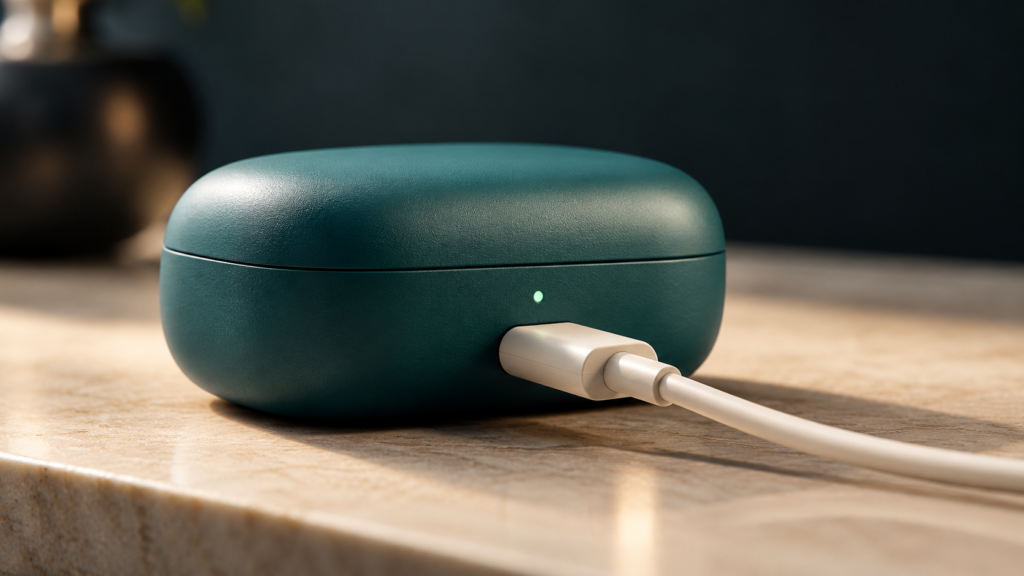
These pages cover additional approaches to daily listening. Use them to investigate a specific feature or compare another model against your existing shortlist.
SoundPEATS Air5 Pro+
The SoundPEATS Air5 Pro+ combines xMEMS technology with a dynamic driver, according to SOUNDPEATS’ product information. That design makes the finished tuning worth examining, not assuming. Check vocals, treble comfort, fit and device compatibility before treating the driver arrangement as an advantage.
Google Pixel Buds 2a
The Google Pixel Buds 2a page is relevant when comparing an Android-oriented daily option. Check the controls and software features available on your phone, then assess the fundamentals: fit, sound and calls. Compatibility details matter particularly if your next phone may come from a different manufacturer.
JBL Vibe Beam 2
Use the JBL Vibe Beam 2 page to compare an everyday option around repeatable tasks. Easy insertion, predictable controls and clear spoken audio can matter more than an impressive specification. Judge value at the actual selling price and consider whether replacement accessories are readily available.
JBL Tour Pro 3
The JBL Tour Pro 3 brings the charging case into the listening setup: JBL specifies touchscreen controls and audio-transmitter functionality. Consider whether those functions solve a regular problem, especially when connecting to other audio equipment. Confirm supported inputs and connection requirements before assuming compatibility. See JBL’s product details.
JBL Live Beam 3
Read about JBL Live Beam 3 if battery convenience and case controls feature in your comparison. Keep continuous earbud runtime separate from the total including recharges. A substantial combined total can be helpful over several days, while still requiring a charging break during a long listening session.
JBL Quantum TWS
The JBL Quantum TWS page belongs in a shortlist that crosses between entertainment and gaming. Identify the connection used on each device and whether voice chat changes the experience. Audio playback, microphone support and access to software features are separate compatibility checks.
Bose QuietComfort Ultra Earbuds, 2nd Gen
For Bose QuietComfort Ultra Earbuds, 2nd Gen, focus on the noise-control experience alongside fit, calls and daily reliability. A quiet listening environment can be valuable, but comfort still determines whether you keep the earbuds in. Confirm that comparisons refer to the second-generation model rather than its predecessor.
Gaming earbud reviews: connection first, sound second

A gaming earbud must work correctly with the intended platform before other strengths matter. Check the exact model or platform edition, audio connection, voice-chat support and any adapter required.
SteelSeries Arctis GameBuds
The SteelSeries Arctis GameBuds page is a starting point for checking how the product fits your gaming setup. Confirm the version you need and the functions available on each platform. For long sessions, comfortable controls and an intelligible microphone deserve as much attention as positional sound.
Sony INZONE Buds
With Sony INZONE Buds, Bluetooth compatibility needs particular attention. Sony specifies that Bluetooth audio requires a device supporting LE Audio. Do not assume a phone will work simply because it has Bluetooth. Check the USB-transceiver route separately for your gaming hardware. Sony’s compatibility guidance explains this requirement.
Razer Hammerhead V3 HyperSpeed
The Razer Hammerhead V3 HyperSpeed page is relevant when comparing low-latency wireless options. Establish which connection delivers the gaming experience and how switching to your phone works. Check microphone behavior during active play, alongside comfort and control accuracy; those details can matter more over time than a headline latency claim.
ASUS ROG Cetra Open Wireless
The ASUS ROG Cetra Open Wireless offers a different proposition: an open-ear design with Bluetooth and a dedicated 2.4 GHz connection. Consider it in relation to your room and whether you want to hear nearby activity. Surrounding noise remains part of the listening experience. See ASUS’ product information.
PlayStation Pulse Explore
For PlayStation Pulse Explore, begin with your PlayStation hardware and any other devices you intend to use. Identify the connection and adapter requirements for each. If you also need commuting earbuds, compare that role separately; a model’s suitability for a gaming setup does not automatically establish everyday versatility.
Which earbuds are best for your day?
Start with your most demanding regular situation. An occasional feature should rarely outweigh a problem you encounter every morning.
| Main situation | First priority | Second priority | Limitation to investigate |
|---|---|---|---|
| Busy commute | Consistent seal and useful ANC | Comfortable transparency mode | Wind and speech behavior |
| Calls across phone and laptop | Intelligible microphone | Predictable switching | Whether switching interrupts meetings |
| Quiet home listening | Preferred tuning | Long-session comfort | Treble fatigue or excessive bass |
| Walking with awareness | Appropriate open-ear design | Stable fit | Music becoming obscured by surroundings |
| Long uninterrupted journeys | Single-charge runtime in your settings | Comfortable fit | Case totals disguising a shorter session |
| Competitive gaming | Compatible responsive connection | Clear voice chat | Platform or adapter restrictions |
| Strict spending limit | Reliable essentials | Support and accessories | Attractive features with weak execution |
A simple decision chart
Follow the requirement that would rule out a product first.
flowchart TD
    A["Start with your main use"] --> B{"Console or PC gaming?"}
    B -->|Yes| C["Confirm platform, adapter and microphone support"]
    B -->|No| D{"Need an unsealed ear canal?"}
    D -->|Yes| E["Compare open-ear fit and sound in your surroundings"]
    D -->|No| F["Compare seal, comfort and noise control"]
    C --> G["Shortlist two compatible models"]
    E --> G
    F --> G
    G --> H["Compare calls, runtime and current price"]
A shortlist of two or three suitable models is easier to judge than a list of fifteen with incompatible strengths. Eliminate deal-breakers before debating small differences.
Earbuds comparison: what the specifications leave out
Fit changes several results at once
A seal influences bass and passive isolation. Earbud position also affects how consistently you hear the intended sound. When fit changes as you talk or move, the listening experience can change with it.
For sealed designs, try the supplied tip sizes in each ear rather than assuming both ears need the same size. Judge comfort after a normal session, not only during the first minute.
Sound quality is more than detail
Listen to material you know. Can you follow vocals without turning everything up? Does bass obscure other instruments? Do cymbals or consonants become tiring? Does the sound remain enjoyable at your normal volume?
Equalization can help with preference, but it does not turn every design into the same product. Driver count, driver size and format badges alone cannot establish which earbuds you will enjoy.
Noise cancellation and microphone noise reduction are different
Listening ANC reduces the noise reaching you. Microphone processing attempts to make your voice clearer to the person at the other end.
A review should treat those outcomes separately. Strong listening ANC does not prove clear outdoor calls, and a quiet-room microphone sample does not establish performance beside traffic.
Battery claims need a common basis
Compare earbud runtime with earbud runtime, and combined case totals with combined case totals. Settings matter: ANC, volume, audio format, spatial processing and calls can affect consumption.
The following is an illustrative calculation, not a product test:
| Hypothetical specification | Earbuds A | Earbuds B |
|---|---|---|
| Earbuds per charge | 6 hours | 9 hours |
| Combined total including case | 30 hours | 27 hours |
| Six-and-a-half-hour uninterrupted session | Requires a recharge under these assumptions | Fits within the stated runtime |
| Main advantage | More stored listening time overall | Longer continuous use |
The larger total does not answer the uninterrupted-session question.
Connection features have different meanings
Pairing stores a relationship with a device. Multipoint maintains connections to more than one supported device. Automatic switching may depend on an ecosystem. Simultaneous audio mixes sources only where explicitly supported.
Do not treat those terms as interchangeable. A person moving between meetings and music needs to know what happens when both devices request attention.
Reliable evidence explains its conditions
A useful review distinguishes manufacturer specifications, observed performance and personal impressions.
| Claim | Context that makes it useful |
|---|---|
| Battery lasted a stated number of hours | Volume, ANC mode, codec, workload and test method |
| Calls sounded clear | Recording examples and the surrounding noise |
| Noise cancellation performed well | Noise type, fit and comparison conditions |
| Connection remained stable | Phone or computer model, software and environment |
| Comfortable for extended use | Wearing duration, ear-tip choice and individual fit |
| Good value | Price checked, alternatives and meaningful trade-offs |
Numbers without conditions can look more precise than the underlying comparison deserves.
Best wireless earbuds for your budget: where extra spending helps
Higher prices can bring worthwhile improvements, but the value depends on where those improvements occur.
A practical spending order is:
- Fit and compatibility: exclude models that fail either.
- Your main task: prioritize calls, commuting, music or gaming.
- Enough continuous runtime: meet your longest regular session.
- Everyday operation: assess controls, switching and charging.
- Optional features: pay for them when their use is clear.
When a premium model makes sense
Extra spending may be justified when it removes a recurring irritation: strained conversations, awkward switching, uncomfortable fit or frequent recharging. The improvement should be something you can describe without referring to a badge on the box.
When an older model is the better choice
A discounted older model can be sensible if it remains supported, has a valid warranty and meets your needs. Check generation-specific features, seller condition and available replacement parts. A discount is less compelling when ownership becomes difficult.
Remember the cost of keeping it usable
Consider replacement tips, a lost-earbud replacement, a replacement case and warranty service. These costs do not need to dominate the decision, but they can change the value of an apparently inexpensive pair.
Upcoming trends and latest earbud technology
The most useful developments expand what earbuds can do in ordinary situations. Separate features available today from those dependent on future firmware, wider compatibility or local rollout.
LE Audio, LC3 and Auracast
Bluetooth LE Audio introduces a newer audio architecture using LC3 and supports capabilities including Auracast broadcast audio. Auracast is designed to let compatible receivers join a shared broadcast, opening possibilities beyond a conventional one-phone-to-one-headset connection. See the Bluetooth SIG overview.
Check explicit support across the devices involved. A recent Bluetooth version alone does not establish that every LE Audio or Auracast function is available.
Charging cases that do more than recharge
Some cases now provide controls or transmit audio from another source. JBL Tour Pro 3 is an example of a case with transmitter functionality.
The practical questions are straightforward: which inputs work, what accessories are needed, and does this replace equipment you already carry? A case feature earns its place by simplifying a real task.
Open-ear designs for different listening habits
Open-ear options serve people who dislike a sealed canal or want nearby sound to remain audible. Their trade-off becomes clear in noisier places, where external sound competes with music.
Assess the design in the environment where you expect to use it. An appealing experience in a quiet room does not predict the same result on a busy street.
More attention to driver architecture and personalization
Hybrid driver arrangements and increasingly detailed sound adjustment give listeners more options. The Air5 Pro+ illustrates the use of xMEMS alongside a dynamic driver.
The finished sound still matters more than the component label. Personalization should be judged by whether it produces a comfortable, repeatable listening experience.
What to watch next
More consistent cross-device support, clearer feature compatibility and better replacement options would offer substantial everyday benefits. These are useful directions to watch, not promises that a particular model will receive an update.
Choose on the basis of what works now. Treat an announced future capability as an additional possibility until it is available on your setup.
Earbuds reviews FAQ
What should I look for in earbuds reviews?
Look for clear model identification, fit observations, device compatibility, microphone evidence and battery conditions. Useful earbuds reviews explain limitations and distinguish specifications from measured results. Compare the findings with your own routine rather than relying on a single overall score.
Which earbuds are best for iPhone?
The best wireless earbuds for iPhone depend on fit, budget and desired integration. AirPods are relevant when Apple-specific features matter, but other compatible earbuds may suit your preferred sound or wearing style. Confirm app access and feature support for the exact model.
What are the best wireless earbuds for Android?
Choose according to your specific Android phone. Codec support, companion apps and ecosystem features vary. Prioritize comfortable fit, reliable calls and usable controls; then compare any additional functions your phone actually supports.
Are expensive wireless earbuds worth it?
They can be, when the extra cost brings a noticeable improvement in comfort, noise control, calls or device handling. Price alone does not guarantee a better match. An affordable pair that meets your daily requirements may offer greater value than a premium model with unused features.
How do I compare earbuds battery life?
Compare continuous runtime using similar settings, then consider the case separately. Check whether figures include ANC, calling or higher-quality audio modes. The combined case total describes listening time across recharges, not one uninterrupted session.
People also ask about wireless earbuds
Do noise-cancelling earbuds block voices?
They can reduce voices, but performance varies with fit, frequency and surroundings. Voices change rapidly, and passive isolation also contributes. Assess speech reduction separately from steady transport noise; no ANC label alone establishes the result.
Is a higher Bluetooth version better for sound quality?
Not automatically. Bluetooth version does not establish tuning, fit, codec implementation or the features enabled on a device. Compare the complete connection between your phone and earbuds, rather than using the version number as a sound-quality score.
Are open-ear earbuds better than in-ear earbuds?
Open-ear earbuds can suit people who prefer an unsealed canal and audible surroundings. Sealed in-ear earbuds generally provide more passive isolation. The better choice depends on comfort, listening environment and how much outside sound you want to hear.
Does multipoint Bluetooth play two devices at once?
Usually, multipoint allows compatible earbuds to remain connected to multiple devices and switch between them. It does not automatically mix both audio streams. If simultaneous playback matters, look for explicit support and check how calls take priority.
Can gaming earbuds replace everyday wireless earbuds?
Sometimes. Check phone compatibility, call quality, portability and listening runtime as well as gaming-platform support. A responsive connection to a console or PC does not establish the same behavior over Bluetooth on a phone.
Quick-reference comparison table
| Term or feature | What it tells you | What it does not establish |
|---|---|---|
| Active noise cancellation | Electronic noise reduction is provided | Complete silence or clear outgoing calls |
| Open-ear design | The ear canal remains unsealed | Strong isolation in noisy surroundings |
| Multipoint Bluetooth | Multiple supported device connections | Simultaneous audio mixing |
| Combined battery total | Listening time including case recharges | Continuous runtime |
| High-resolution codec support | A supported transmission option exists | Compatibility with every phone or preferred sound |
| Gaming wireless connection | A dedicated connection may be available | Support for every console and voice-chat function |
Editorial insights: choose the compromise you can live with
The strongest choice usually becomes clear when you identify what you cannot tolerate.
If interrupted calls are the problem, start with microphone evidence and switching behavior. If your ears ache, start with fit. If a long journey drains your current pair, compare continuous runtime. If a game sounds delayed, investigate the connection before changing sound settings.
Technology will continue adding ways to listen, connect and control. Those additions matter when they improve the hours you actually spend wearing the earbuds.
Choose two or three relevant review pages, compare them against the same requirements, and make the trade-off explicit. For more listening guides and practical help, return to the Homepage.